 Mark
Mark
Agents write Markdown. Mark draws it.
Mark opens the file your agent is writing and renders it as it saves: tables, 32 kinds of diagrams, math, callouts. ⌘D shows what changed since you last looked.
Free, MIT · same editor, two editions · What’s the difference?
Q3 review — growth
Funnel
Every save, in placeScroll position stays where you were.
See what the agent touchedAgainst a snapshot taken before each reload.
Drawn in the pageFlowchart to sankey, in your theme’s colours.
Small and quick≈ 30 MB on disk, the system WebView.
¶ 01
Watch your agent write.
Every save on disk reloads the tab in place, keeping your scroll position, so you can follow a long pass and step in when it finishes. ⌘D shows exactly what the agent changed, against a snapshot Mark takes before every reload.

Connect your agent
The home screen connects your agent with one click — or paste this prompt into CLAUDE.md, AGENTS.md or any system prompt your agent reads.
Prompt for your agent
When you produce a plan, spec, report, or any document longer
than ~50 lines, write it to a .md file and open it for the user:

    open -a Mark <file>.md

The user reads and edits it in Mark, which reloads the file when
it changes on disk. When the file changes, read the new version:
the user left corrections inline. Treat the diff as your next
instruction.
¶ 02
32 kinds of diagrams, drawn as your agent saves.
Flowcharts, sankeys, Gantt charts — a plain ```mermaid block in the Markdown, drawn in the page in the colours of the theme. Pick a theme and watch the wall follow:
¶ 03
Write in the finished page.
Headings, tables, task lists, footnotes, callouts and front matter look done while you type — and the rest of the page keeps up.
-
Split View
The raw Markdown beside the page when you need it; the rendered page itself is the editor.
-
Copy it clean
Copy as Markdown, HTML, plain text or structured text that keeps paragraphs, bullets, links and tables readable wherever you paste them.
-
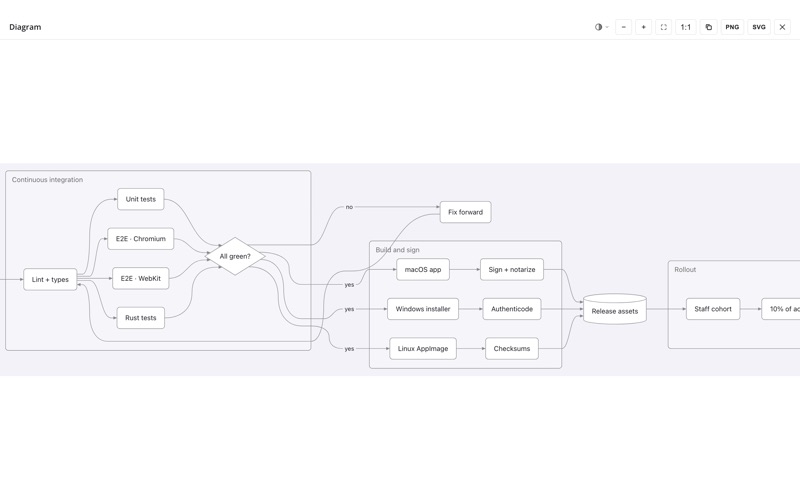
Open anything full screen
Any diagram or wide table opens here, with zoom and pan and a sticky header for tables.
-
Print & PDF, each direct
⌘P opens the system print panel directly; Export to PDF writes the file through a save dialog, without the print panel — on macOS and Windows.
-
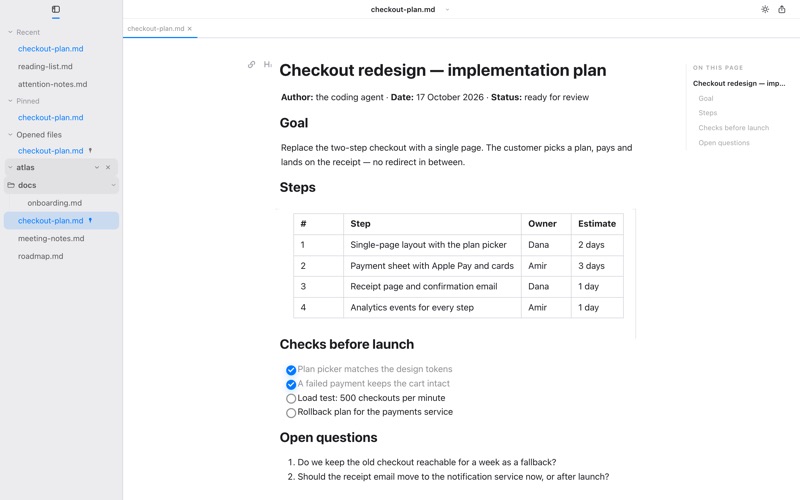
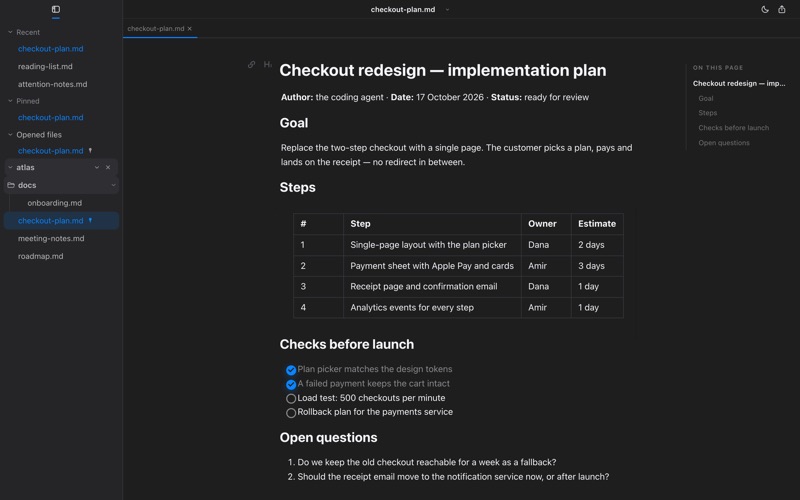
32 themes, light and dark
Light and dark members, one title-bar button apart — Paper, Ink, Docs, macOS and more; diagrams can follow, or pin their own look.
-
Diagrams as pictures
Copy as image, or save as PNG or SVG in the theme’s colours — from the diagram’s corner panel, the context menu or the full-screen view.


¶ 04
Small and native.
Mark renders with the system WebView — WebKit on macOS, WebView2 on Windows — instead of shipping its own browser engine.
- First window
- ≈ 0.4 s
- On disk
- ≈ 30 MB
- Plain document
- ≈ 150 MB
- 4,100-line file
- ≈ 3 s to open
Measured 2026-10-15, one Apple silicon Mac, Mark 2.3.0 — your numbers will differ; a rich document means Mermaid diagrams, KaTeX math and a table open together.
¶ 05
Get Mark
Free and open source, MIT licence. No account, no analytics, no telemetry in the app.
- macOS: Developer ID signed and notarized by Apple; updates arrive through the in-app updater or
brew upgrade --cask mark. - App Store: the App Store edition is 2.1.17 today; its next update brings 2.5.0. When does it catch up?
- Windows: the installer is not code-signed yet, so SmartScreen shows “Windows protected your PC” — choose More info, then Run anyway.
Two editions, the same editor. Homebrew/download adds pandoc export, insert screenshot, the default-Markdown-app setting, git diff, a local live server for agents and the in-app updater; the App Store edition is sandboxed and reviewed by Apple. See the full table.